Shared Access
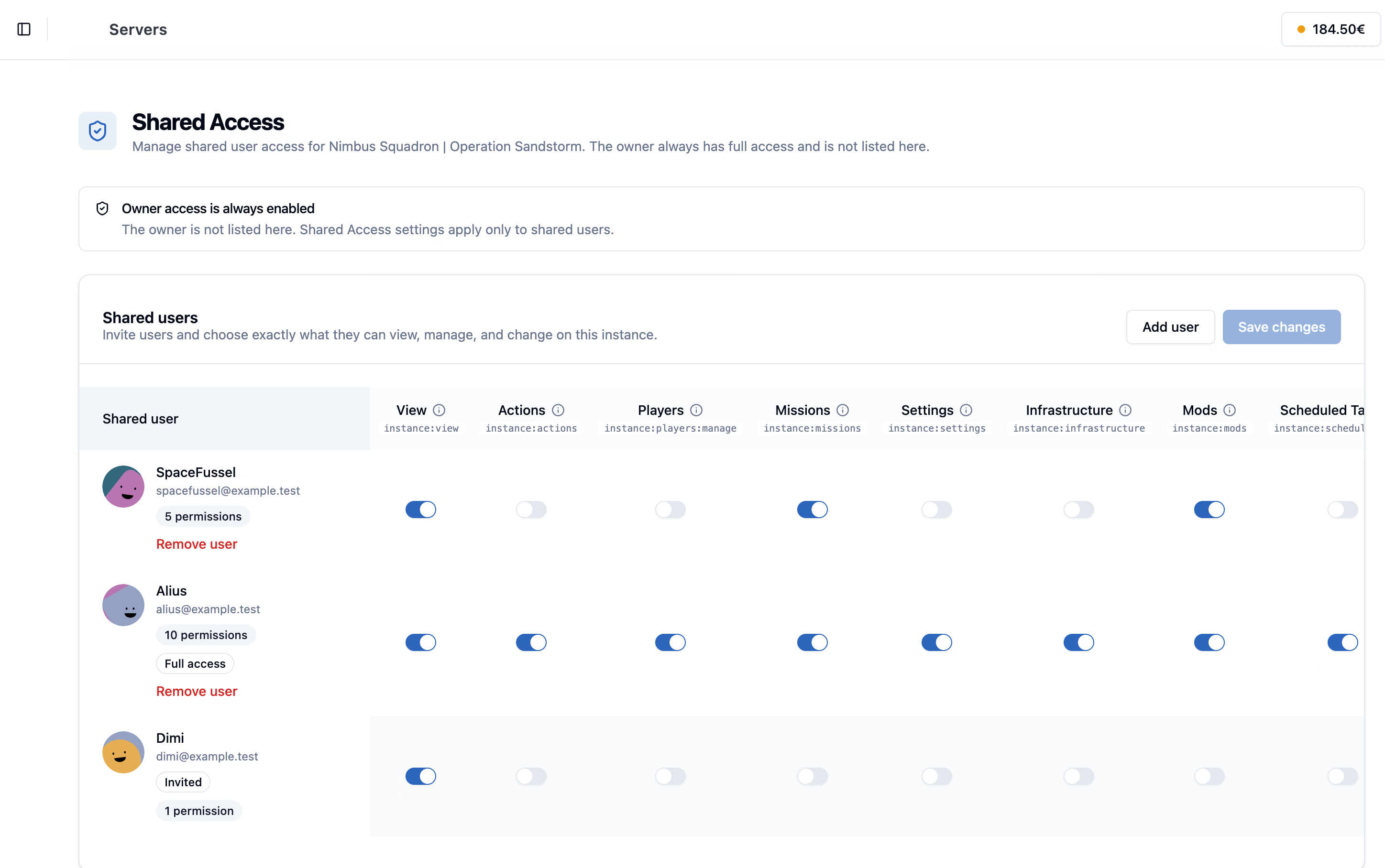
Invite your team to help run your DCS server. Choose what each person can view and manage while keeping account ownership and billing in your hands.
- Permission Areas
- 10+
- Ownership
- Protected
- Login Sharing
- Avoided
- Admin Actions
- Tracked
Choose what your team can do.
Keep permissions close to the actual server work your team performs.
Invite Admins
Give trusted users access from their own NimbusPulse account.
Grant Precisely
Choose exactly which server areas each person can view or change.
Keep Ownership
Billing, deletion, renewal, and access management stay owner-only.
Track Actions
Events can show which user triggered starts, stops, restarts, and more.
Granular Permissions
Split view access, server actions, missions, settings, mods, files, and more.
No Account Sharing
Admins act from their own accounts instead of using the server owner login.
Owner-only Controls
Shared users cannot manage access, cancel billing, renew, or delete the server.
Action Tracking
See which user performed important server actions in the activity timeline.
Give each person the access they need.
Replace informal account sharing with a safer workflow for staff, instructors, and mission builders.
Community Operations
Give squadron staff access to routine work without handing over ownership.
- Start, stop, and restart access
- Mission upload and selection
- Chat and player moderation
Security Boundaries
Separate responsibility for server administration from billing and ownership.
- Owner-only shared access page
- Owner-only subscription controls
- No password sharing required
Auditability
NimbusPulse can record who performed important actions across server workflows.
- Events linked to users
- File manager activity context
- Clearer admin accountability
Invite. Set permissions. Fly.
Invite the right person, grant the right permissions, and keep ownership protected.
-
Open Shared Access
Server owners manage collaborators from the server Control Panel.
-
Invite a registered user
Add someone by the email address tied to their NimbusPulse account.
-
Select permissions
Grant only the server areas that person needs for their role.
-
Review activity
Use events and audit surfaces to understand which admin took which action.
Good to know.
Need help with your setup? Talk to us about the missions and tools you want to run.
Ask us on DiscordShare the work with your team.
Shared Access gives DCS communities safer administration, clearer permissions, and better accountability inside NimbusPulse.