Scheduled Tasks
Schedule server restarts and chat messages from the control panel. Keep recurring jobs visible to your team and running on your timetable.
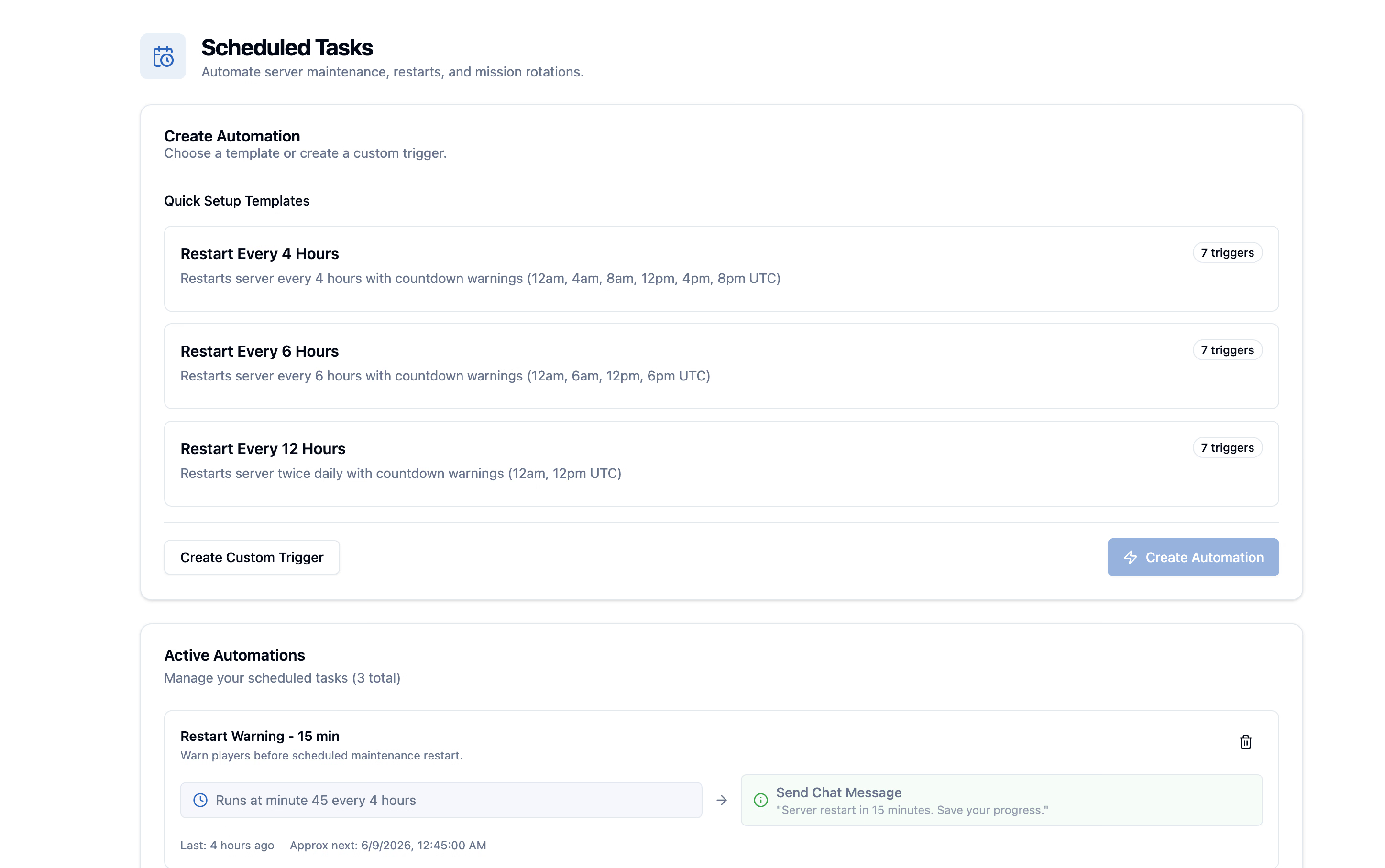
- Timing
- Cron-style
- Templates
- Included
- Default Restarts
- Regional
- Admin Load
- Lower
Take care of the repeat work.
Use schedules for the jobs that should happen consistently, even when no admin is watching.
Cron Timing
Schedule recurring server work with familiar cron-style timing.
Restart Routines
Automate standard restarts so admins do not need to babysit servers.
Templates
Use common restart scenarios as a quick starting point.
Maintenance Flow
Keep routine server actions predictable for long-running communities.
Scheduled Restarts
Run recurring restarts for daily maintenance, event resets, or long-running instances.
Recurring Messages
Plan routine server messages around training sessions or community operations.
Regional Defaults
Monthly rented servers can start with sensible default restart timing by region.
Admin Visibility
Keep scheduled work visible in the Control Panel instead of hidden in external scripts.
Schedules that fit your sessions.
Most server automation starts with simple, repeated actions. NimbusPulse keeps those actions explicit and manageable.
Maintenance Windows
Set predictable restart windows around your community schedule.
- Hourly checks
- Daily maintenance
- Weekly resets
Server Communication
Use recurring messages to keep players informed about resets and operations.
- Restart reminders
- Training notices
- Community announcements
Routine Automation
Turn standard admin habits into visible, repeatable server tasks.
- Less manual supervision
- Consistent timing
- Control Panel visibility
Set up your first task.
Scheduled tasks stay attached to the server so your team can understand what will happen and when.
-
Choose an action
Pick the recurring server action you want NimbusPulse to run.
-
Set the timing
Use cron-style timing or a template for common restart schedules.
-
Save the task
Keep the schedule attached to the server where other admins can see it.
-
Let it run
NimbusPulse handles the recurring action at the configured time.
Good to know.
Need help with your setup? Talk to us about the missions and tools you want to run.
Ask us on DiscordSpend less time on routine tasks.
Scheduled Tasks make restarts, reminders, and maintenance routines part of the NimbusPulse server workflow instead of an external chore.