Player Management
See who is flying, moderate players, and review chat history from your browser. Give trusted team members the permissions to help.
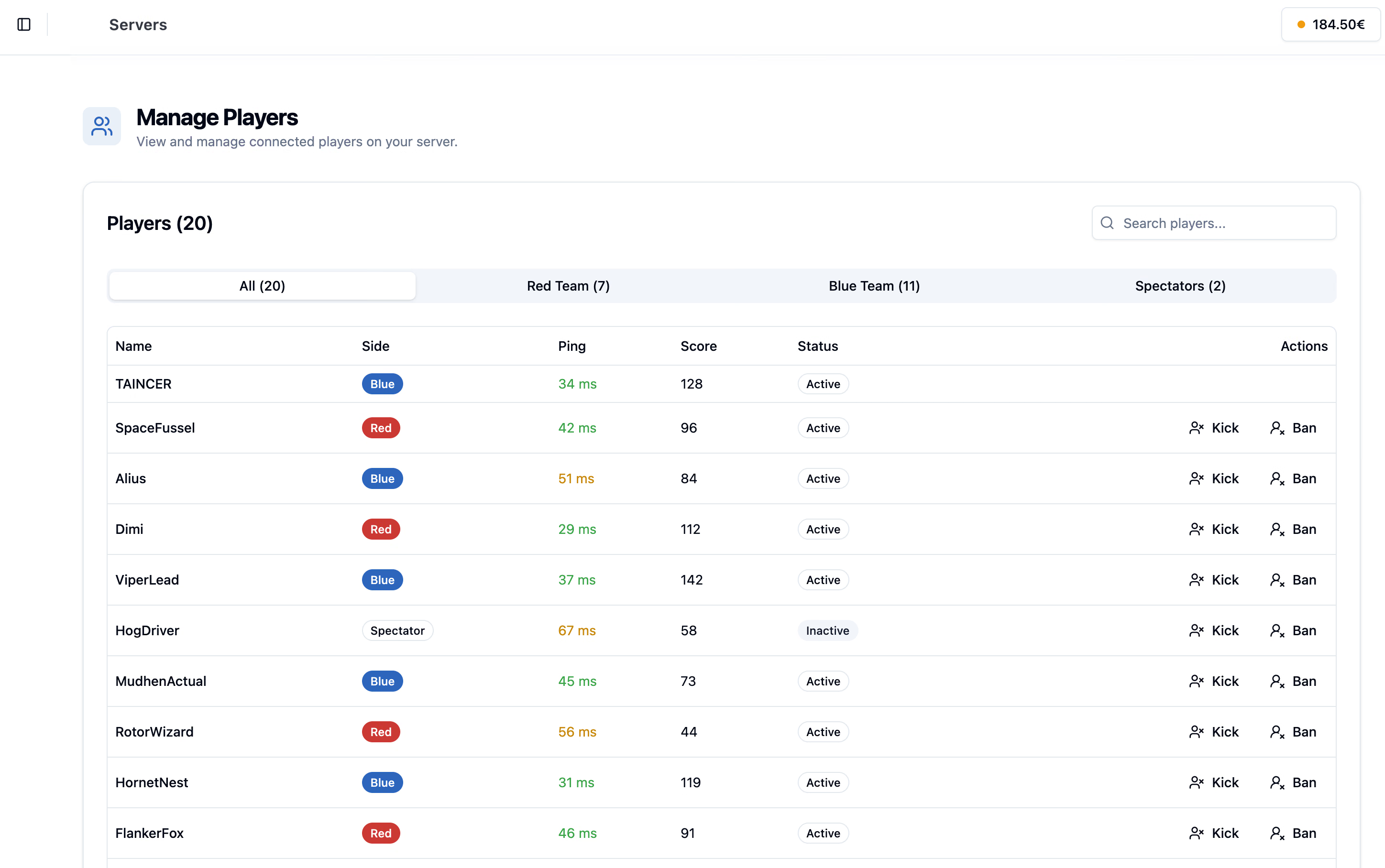
- Player View
- Live
- Moderation
- Kick + ban
- Chat Logs
- Persistent
- Delegation
- Permissioned
Stay on top of your sessions.
Give server staff the controls and context they need during live sessions.
Player Overview
Monitor connected players from the same panel as server actions.
Moderation Tools
Kick and ban players when admins need to enforce server rules.
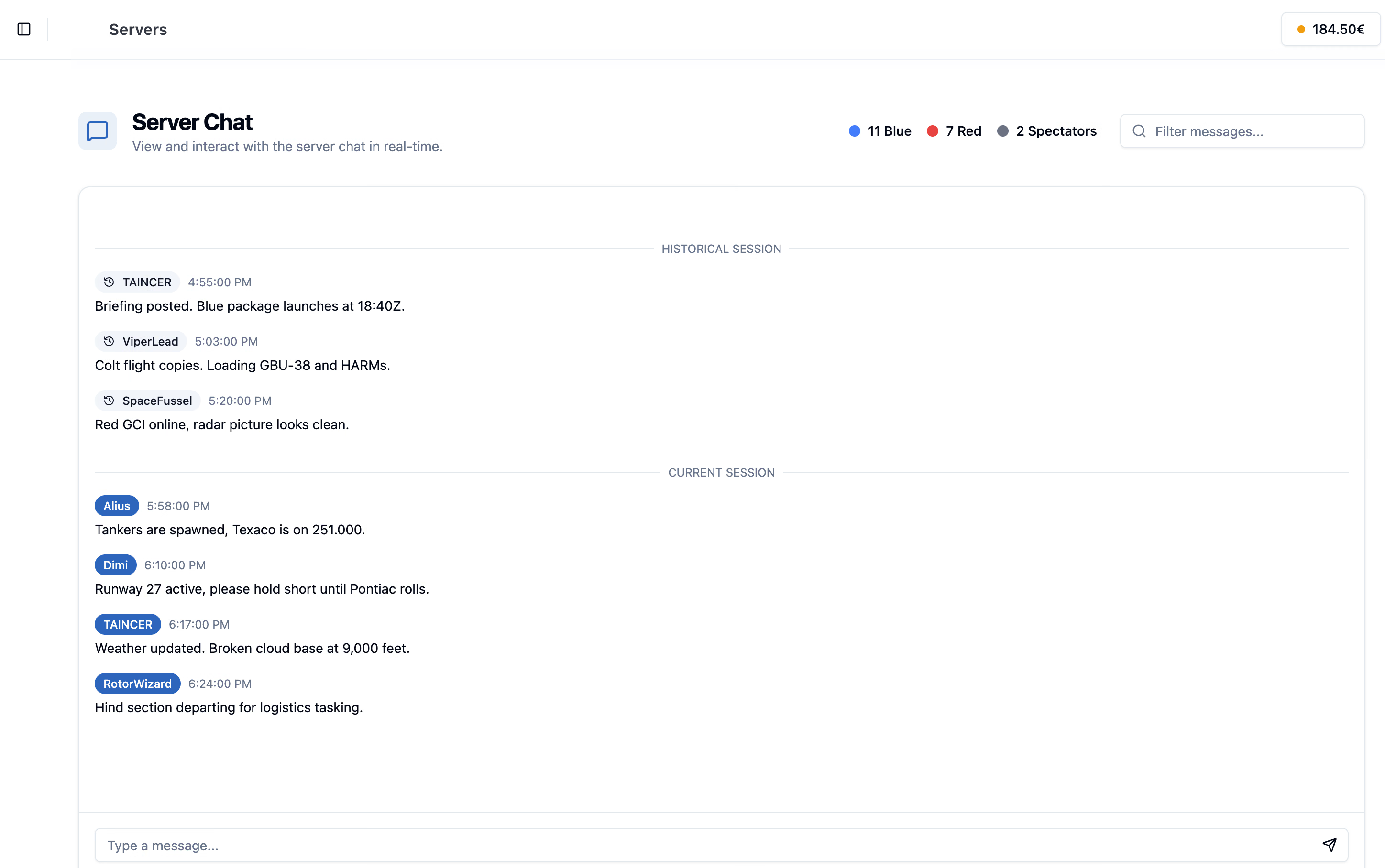
Persistent Chat
Keep chat logs available after restarts for community moderation.
Shared Roles
Grant player management access without handing over server ownership.
Live Player View
See who is connected and keep server status close to player activity.
Kick and Ban
Give moderators the tools they need to handle disruption during sessions.
Chat History
Review chat even after a server restart instead of losing the conversation context.
Permission Boundaries
Use Shared Access to separate moderation rights from settings, files, or billing.
Players and chat, side by side.
The player tools and persistent chat views give moderators more context during and after live sessions.
Persistent in-game chat
Chat history gives moderators context after restarts and during active community sessions.
Tools for your moderation team.
Player management is about quick action during sessions and reliable context afterward.
Community Moderation
Give staff a clearer place to handle player issues during live sessions.
- Kick disruptive users
- Manage bans
- Review connected players
Chat Accountability
Persistent chat logs help admins review incidents after the moment has passed.
- Logs survive restarts
- Useful for rule enforcement
- Better context for admin decisions
Team Workflow
Player management can be delegated to moderators through explicit permissions.
- Grant moderation access
- Keep ownership protected
- Connect actions to server events
Manage your next session.
Review the session, take the needed action, and delegate moderation without oversharing access.
-
Open Players
Use the Players page for the server you are moderating.
-
Review the current session
Check connected players and use chat context when needed.
-
Take moderation action
Kick or ban players when server rules need enforcement.
-
Delegate safely
Use Shared Access to let moderators help without giving them owner controls.
Good to know.
Need help with your setup? Talk to us about the missions and tools you want to run.
Ask us on DiscordKeep your server welcoming.
NimbusPulse gives community admins player visibility, moderation controls, chat history, and permissioned staff access in one place.