DCS Mod Manager
Install, configure, and update supported DCS mods from your control panel. Downloads, ports, and installation storage are handled for you.
- Supported Mods
- 10+
- Saved Games
- 40 GB
- Install Storage
- Unmetered
- Port Handling
- Built in
Manage your mods in one place.
The feature is built around the work that usually slows down squadron admins.
Install Fast
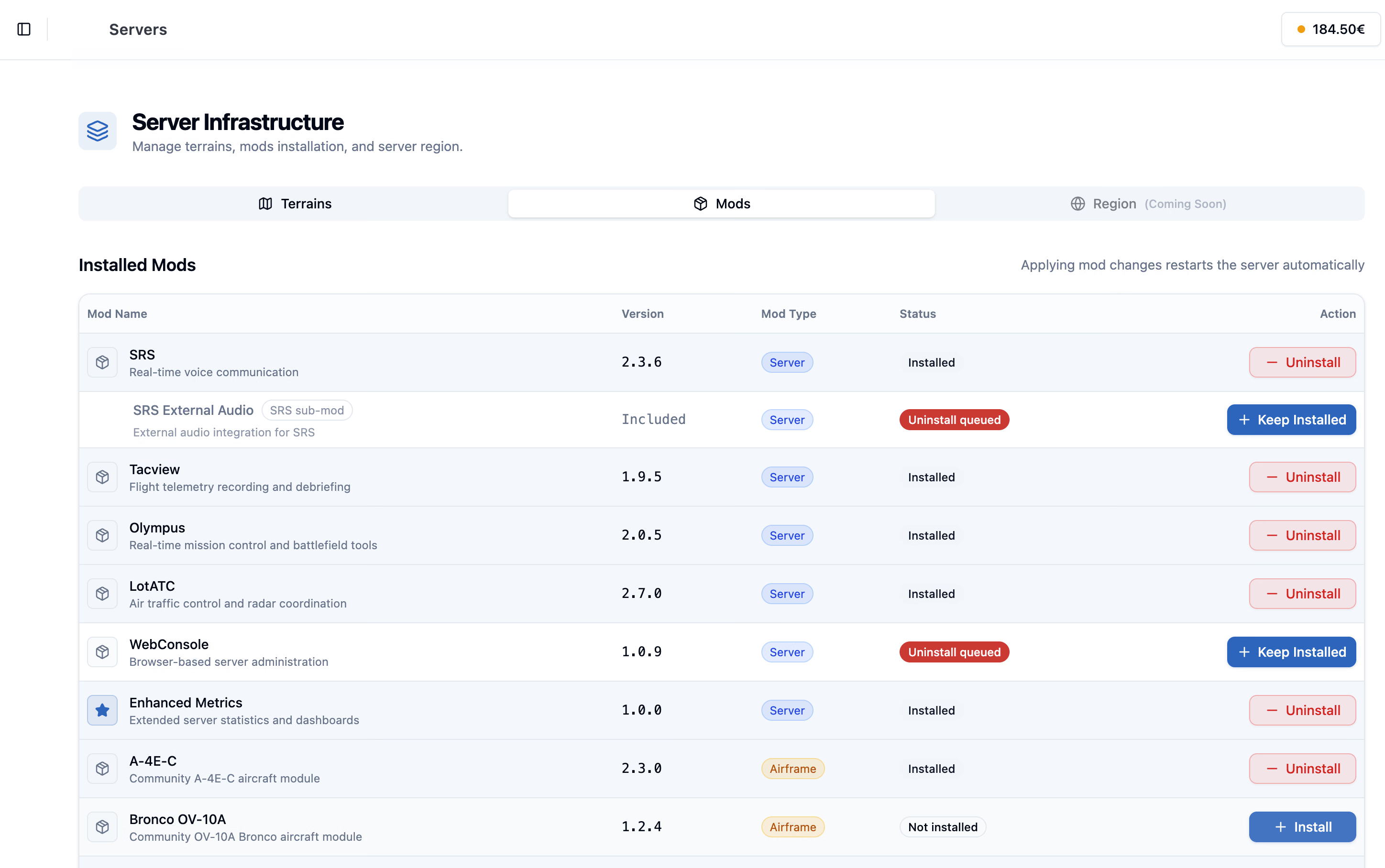
Add supported DCS server mods during creation or later from Infrastructure.
Configure Once
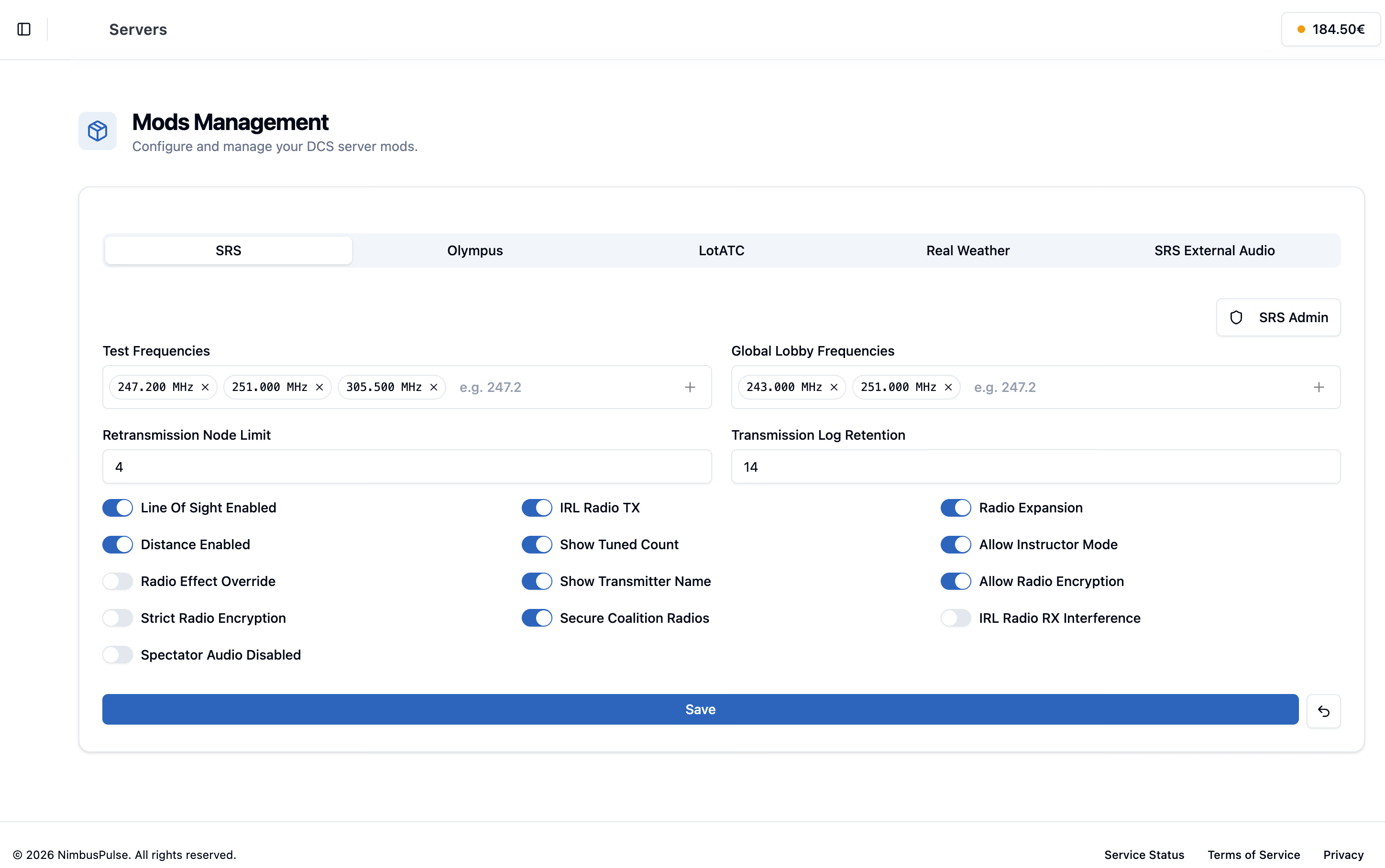
Edit mod settings in the Control Panel without hand-editing config files.
Ports Included
NimbusPulse opens and forwards the required ports for each installed mod.
Storage Included
Supported install-folder mods use separate storage with no set limit.
One-click Install
Install SRS, Olympus, LotATC, Tacview, WebConsole, Real Weather, and more.
Live Changes
Add or remove supported mods through NimbusPulse when requirements change.
Sane Defaults
Each mod starts with a working baseline configuration that fits hosted servers.
Connected Tools
Integrations such as SRS and LotATC can receive matching connection settings.
Manage installs and settings.
Use the overview to manage installed mods, then open dedicated settings when a supported tool needs deeper configuration.
Dedicated mod settings
Configure supported tools such as SRS from structured controls instead of hand-editing files.
Choose the tools your missions need.
Use the same workflow for voice, mission control, telemetry, weather, and community modules.
Server Admin Mods
Operational tools can be installed and configured without FTP or manual uploads.
- SRS and SRS External Audio
- Olympus and LotATC
- Tacview and WebConsole
Gameplay Extensions
Community aircraft and mission helpers fit into the same install workflow.
- A-4E-C aircraft module
- Bronco OV-10A module
- Real Weather mission injection
Automation Surface
The same backend powers the Control Panel, Discord bot, and public API.
- Query available mods
- Install or uninstall through API calls
- Keep community tooling in sync
Get your mods running.
Start simple, then adjust your server stack as your training, event, or campaign grows.
-
Choose mods during server creation
Pick the tools your squadron needs before the server is built.
-
Manage settings in the Control Panel
Update passwords, frequencies, and mod-specific options from dedicated pages.
-
Change the stack later
Install or remove supported mods from Infrastructure as your mission changes.
-
Automate when needed
Use the NimbusPulse API when you want your own dashboard or deployment flow.
Good to know.
Need help with your setup? Talk to us about the missions and tools you want to run.
Ask us on DiscordBring your mods along.
NimbusPulse keeps supported mods installable, configurable, and automatable, with managed install storage that stays outside your 40 GB Saved Games allowance.